
Proxies#
This section guides you through viewing proxy information in the TOL Login System.
Overview#
The Proxies section displays proxy information for shareholder meetings, including:
Meeting dates and types
Issuer information
Record dates for voting eligibility
Accessing Proxies#
To access proxy information, navigate to the Proxies section from the main navigation menu.
Step 1: Locate Proxies in Navigation#
Find and click the Proxies option in the left navigation menu.
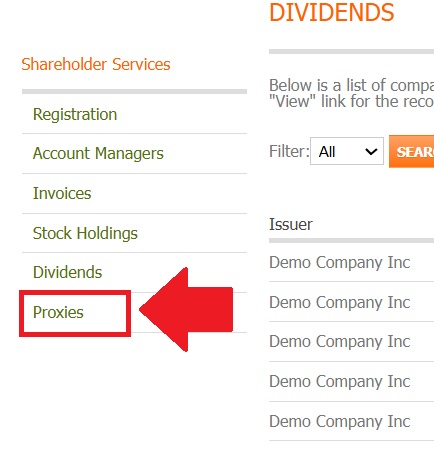
Fig. 31 Proxies location in the navigation menu#
Action Complete
You have successfully navigated to the Proxies section.
Proxies Dashboard#
The main Proxies page displays a list of proxy meetings.
Step 2: Review Proxies Overview#
Upon entering the Proxies section, you’ll see information about shareholder meetings.
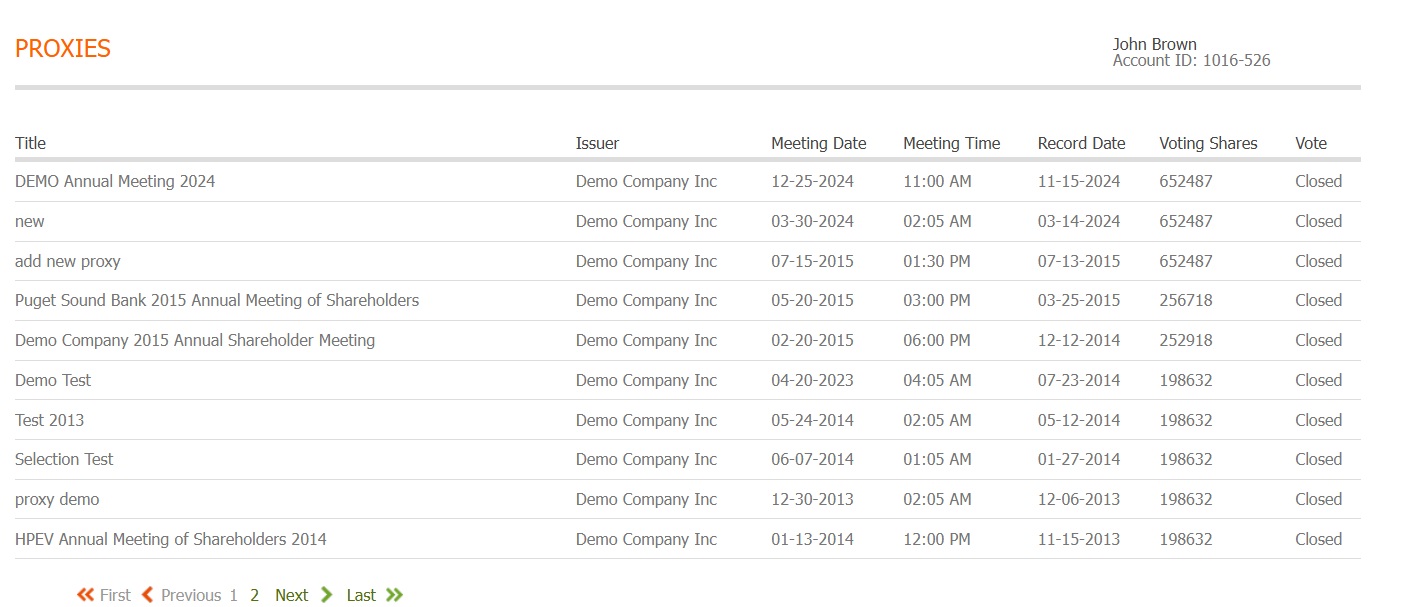
Fig. 32 Proxies main dashboard#
Note
The dashboard displays proxy meeting information across your portfolio. Each entry shows key information including issuer, meeting dates, and meeting types.
Step 3: Understanding the Proxies Table#
The proxy information is organized in a table format with multiple columns providing meeting information.
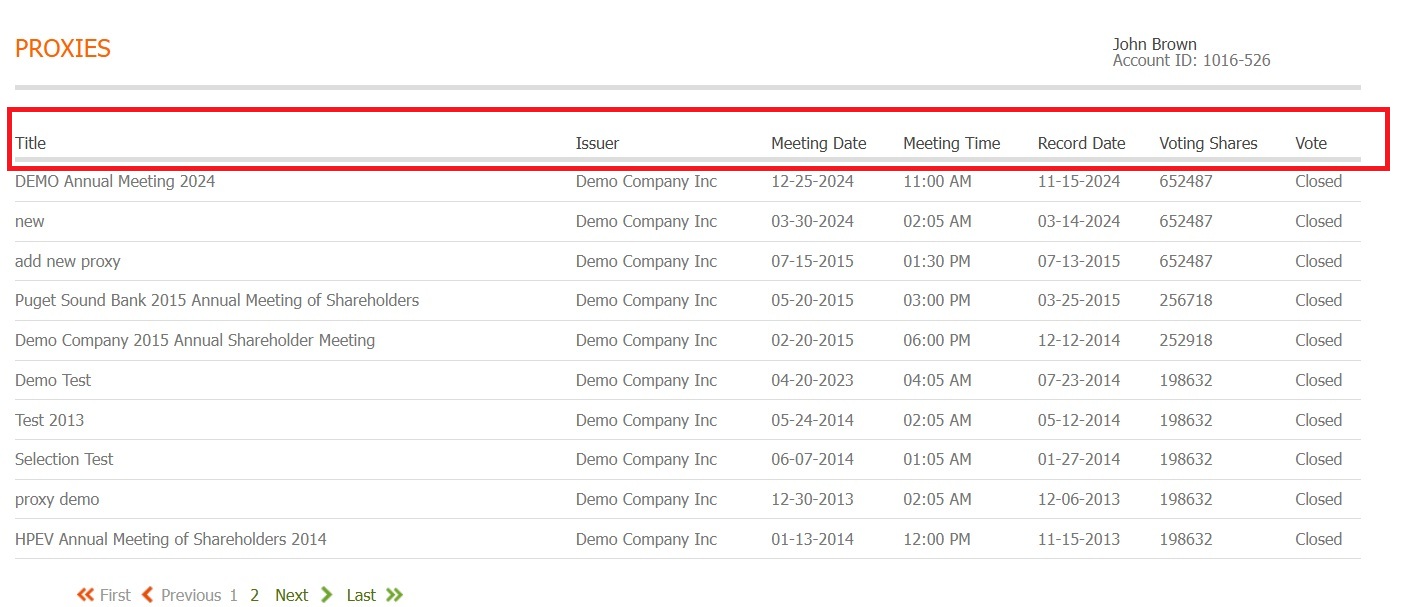
Fig. 33 Proxies table column structure#
Table Columns#
The proxies table includes the following columns:
Title - The title or description of the proxy meeting
Issuer - The company holding the meeting
Meeting Date - When the shareholder meeting will occur
Meeting Time - The scheduled time of the meeting
Record Date - Date for determining voting eligibility
Voting Shares - Number of shares eligible to vote
Vote - Your voting status or action
Proxy Information#
Note
The current system displays proxy meeting information in a table format.
Available Information#
From the Proxies section, you can:
View upcoming and past shareholder meetings
Review meeting dates and times
Check record dates for voting eligibility
See which companies are holding meetings