
Dividends#
This section guides you through accessing and managing your dividend information in the TOL Login System.
Overview#
The Dividends section provides access to your dividend history and payments, including:
View dividend payment history across all holdings
Dividend date and outstanding shares on dividend date
Date distributed and distributed shares information
Filtering capabilities by All, Stock, or Cash
Accessing Dividends#
To access your dividend information, navigate to the Dividends section from the main navigation menu.
Step 1: Locate Dividends in Navigation#
Find and click the Dividends option in the left navigation menu.
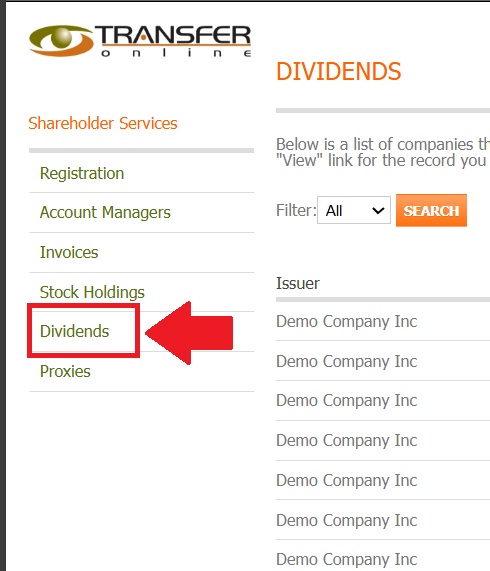
Fig. 18 Dividends location in the navigation menu#
Action Complete
You have successfully navigated to the Dividends section.
Dividends Dashboard#
The main Dividends page displays a comprehensive overview of all your dividend payments.
Step 2: Review Dividends Overview#
Upon entering the Dividends section, you’ll see your complete dividend payment history.
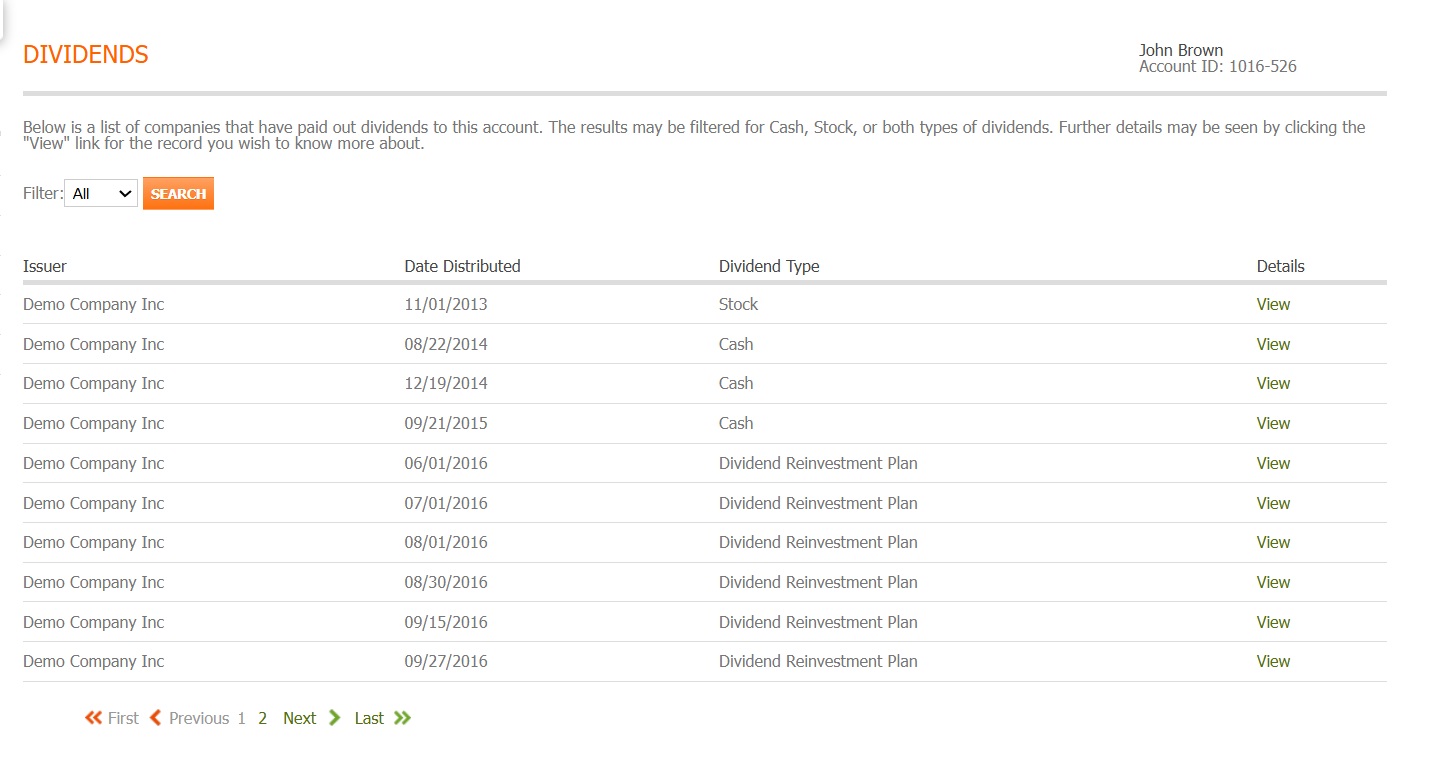
Fig. 19 Dividends main dashboard#
Step 3: Understanding the Dividends Table#
The dividend information is organized in a detailed table format with multiple columns of essential data.
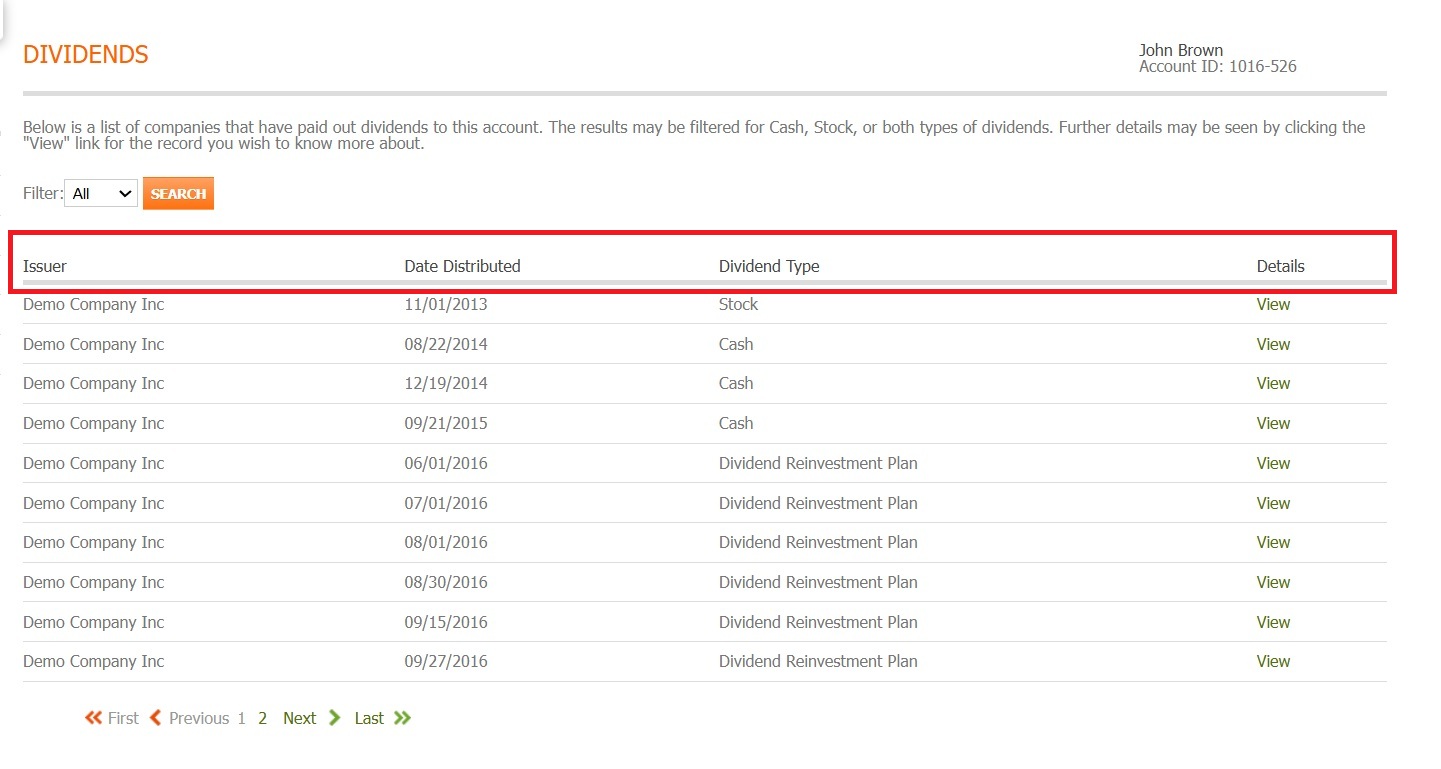
Fig. 20 Dividends table column structure#
Table Columns#
The dividends table includes the following key information:
Issuer - The company that issued the dividend
Date Distributed - When the dividend was paid
Dividend Type - Type of dividend payment
Details - Additional dividend information
Filtering and Search Options#
The Dividends section provides powerful filtering tools to help you locate specific dividend payments.
Step 4: Access Filter Options#
Click on the filter dropdown to view available filtering options.
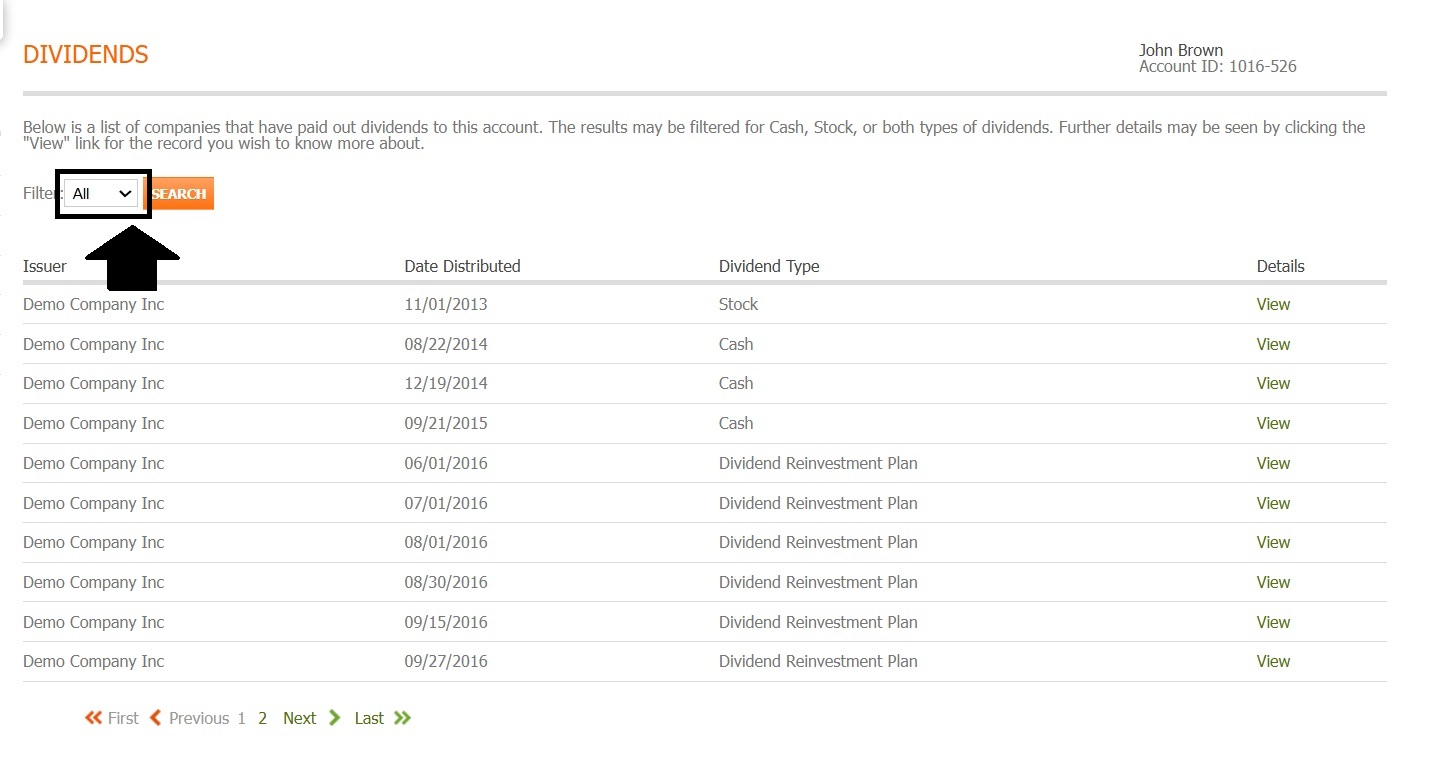
Fig. 21 Filter dropdown location#
Step 5: Select Filter Criteria#
Choose from various filter options to refine your dividend display.
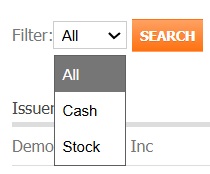
Fig. 22 Expanded filter options#
Available Filter Options#
You can refine your dividend display using the following filters:
All
Stock
Cash
Step 6: Apply Filters#
After selecting your filter criteria, click the SEARCH button to apply the filters.
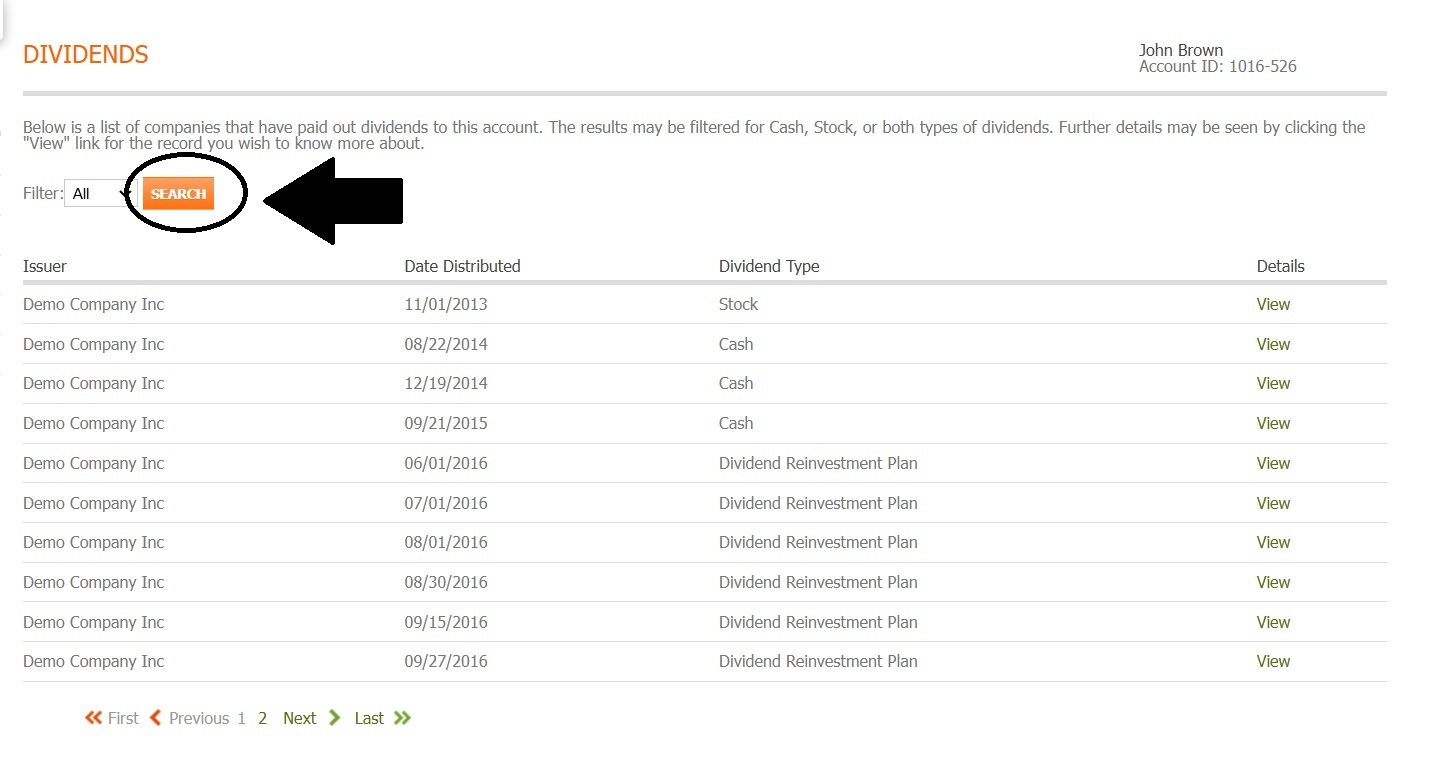
Fig. 23 Update button location#
Viewing Dividend Information#
Each dividend entry in the table includes a “View” button that allows you to access detailed information about that specific dividend payment.
Accessing Dividend Details#
To view detailed information about a specific dividend:
Locate the dividend entry you want to examine
Click the “View” button in the row for that dividend

Fig. 24 View button location for dividend details#
Dividend Details Page#
The dividend details page provides specific information about the selected dividend payment, including:
Dividend Date
Outstanding on Dividend Date
Date Distributed
Distributed Shares
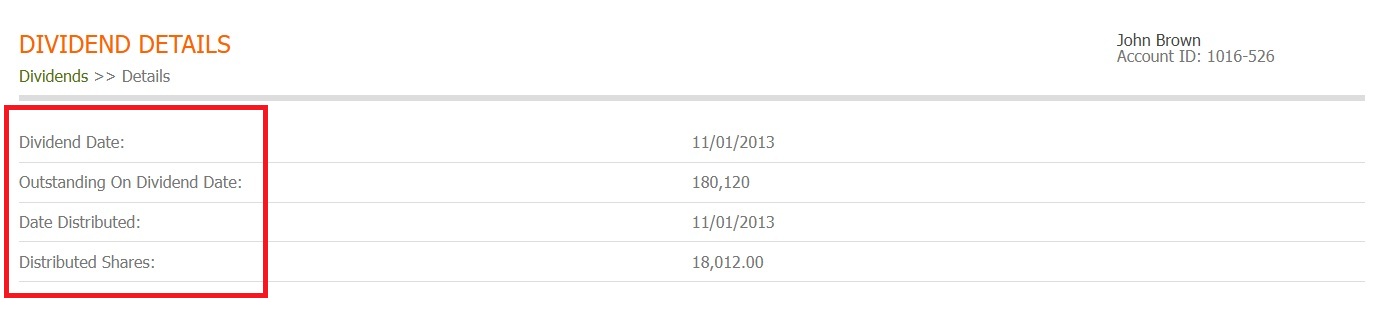
Fig. 25 Dividend details page with categories highlighted#
Available Actions#
From the Dividends section, you can:
View your complete dividend payment history
Filter dividends by All, Stock, or Cash
Access detailed information for individual dividend payments using the View button
Review dividend dates and share distribution details